The Benefits of Making Your Website Accessible
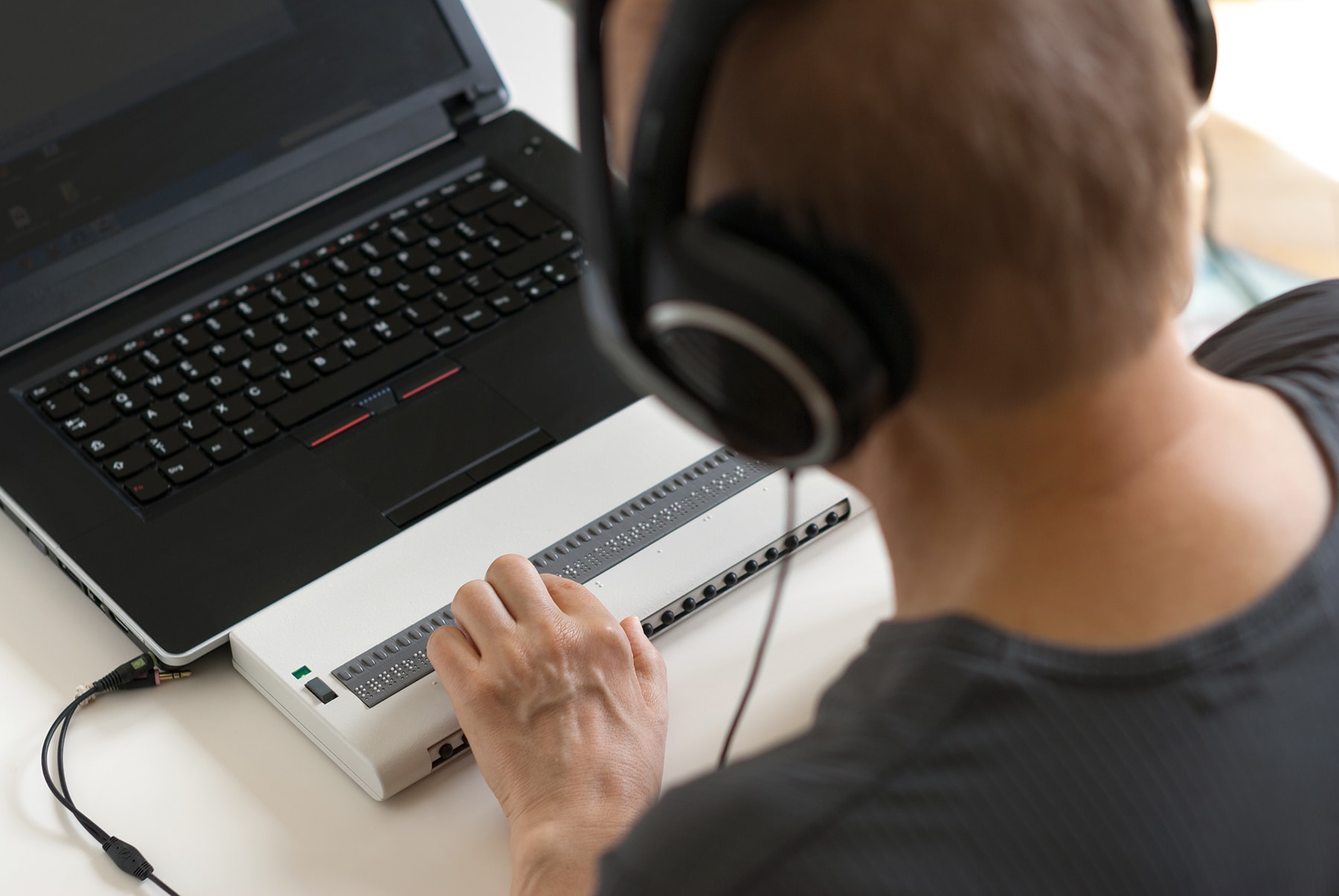
About 1 in 4 adults in the US lives with some type of disability. That’s a big part of your audience, and if your website isn’t built with them in mind, many of them can’t use it. Making your site accessible means making it usable by everyone, regardless of disability or impairment. It’s good for your visitors, and it plays an integral role in the success and sustainability of businesses. Not only is this an important consideration when developing a website, it is also a critical step in building a diverse, equitable, and inclusive environment for everyone.
What Does Accessibility Mean?
Simply put, accessibility means making sure that websites are designed with everyone in mind.
This includes:
- People with colorblindness or visual impairments who need strong color contrast or screen readers to navigate the web
- People with hearing impairments who interact with audio content through captions or transcripts
- People with physical disabilities who can’t use a mouse and navigate with a keyboard or other assistive device
By taking into account the needs of all users, regardless of ability, websites can become more welcoming and accessible for everyone.
How Can I Make My Website More Accessible?
Making changes to your website doesn’t have to be complicated, and you don’t have to do everything at once. We’ve broken it into three levels, from quickest and easiest to most hands on, so you can start where it makes sense for you.
Level 1 – Accessibility Widgets
Time: 15min
A great way to improve accessibility on your site right now is by using an accessibility widget. Userway is popular option with a free version for WordPress that only take a few minutes to setup. The plugin adds helpful menu with settings so readers can adjust the site contrast, highlight links, pause video/animations, and more in order to make your content easier for them to interact with.
But as amazing as widgets like Userway are, it’s important to note that they are not a complete or legal solution. While they do add assistive features based on standards such as WCAG 2.2, ATAG 2.0, European EN 301 549, ADA, & Section 508 they do not resolve existing issues within your site or guarantee full compliance.
Accessibility widgets are like adding a color coded map to a shopping mall. They’re easy to access, help visitors find their way, and show you care about accessibility. They do not however address any structural issues, like a missing elevator or ADA parking spots. That’s what levels 2 and 3 are for.
Level 2 – Addressing Common Accessibility Issues
Time: a few hours +
If you are comfortable editing some of the elements on your website, you can start making changes on your own. Tools like WAVE will scan your pages and flag issues. Many fixes are manageable, though they can be time consuming. Here are a few of the most common ones.
Add Alt Text To Images – Adding alt text (or alternative text) to images enables screen readers to describe the image for someone who may not be able to see it clearly or at all. Alt text should provide a brief description of what’s depicted in the image (unless it’s purely decorative, in which case alt text is not needed).
When you insert an image in WordPress you should see a field for the Alt text, either in the block editor sidebar or in the media library setting when you add a new image. For existing images on pages though you will need to click through to update each one, and depending on your theme you may need to reinsert images for the new alt text to be applied.
Use Descriptive Link Text – Link text like “click here” or “read more” means nothing to someone navigating by links alone. Use text that accurately describes the purpose or destination of the link, like “download our accessibility checklist.”
Make Text Readable – Ensure that fonts are easy-to-read and that there is enough contrast between font color and background color so that text is legible on both light and dark backgrounds. Additionally, make sure elements like buttons are large enough for users to easily click on them using just their finger or pointer device.
A good rule of thumb is that fonts should not be smaller than 16px, and for contrast you can use this Contrast Checker. Just enter your text color hex value as the foreground and then the background color, and it will show if your contrast passes or fails.
Use Headings Properly – On your page you likely already have headings to break up the content, which is good. Screen readers use headings like a table of contents for your page, so a clear structure helps people understand and jump around your page. For accessibility, you should ensure your pages follow a couple simple rules:
- Only one H1 heading – this should be the main title or focus of your page.
- Use headings in order – headings should be used in numerical order. The H1 would be the first heading on your page followed by H2 headings for each important section. Nested within the H2 would be H3 headings, and if those needed to be further broken down H4 headings and so on. Don’t skip levels, and don’t use a heading just because you like how it looks.
Level 3 – Hire a Professional
Time: none on your end, development time varies by site
Some accessibility issues live in your site’s code, such as keyboard navigation, form labels, and how menus and pop-ups behave. If you’d rather not dig in yourself, or you want the most thorough improvement, incredible web support and maintenance team can help. We’ll audit your site, make recommendations, and with your approval apply code-level fixes, so you can focus on everything else on your to do list.
Why It’s Worth It
Making your website more accessible not only helps create an inclusive environment for all visitors but also supports good SEO practices like descriptive headings and alt text, increases engagement levels, and demonstrates your commitment to diversity, equity & inclusion. Simply put – making your website more accessible has multiple benefits which will ultimately lead towards overall business success.
If you are ready for an accessibility audit for your website, could use some assistance installing an accessibility widget, or want to talk more about any accessibility questions you might have please don’t hesitate to reach reach out to us. Our team is always here to help!